
Sales opportunities are often lost before a salesperson even presents the solution. An enquiry arrives through WhatsApp, a website form, a phone call, Facebook, LinkedIn or a referral. The customer expects a quick response, but the contact is copied into a private phone, spreadsheet or chat. Nobody clearly owns the next action, and management cannot see whether the lead was qualified, followed up or forgotten.
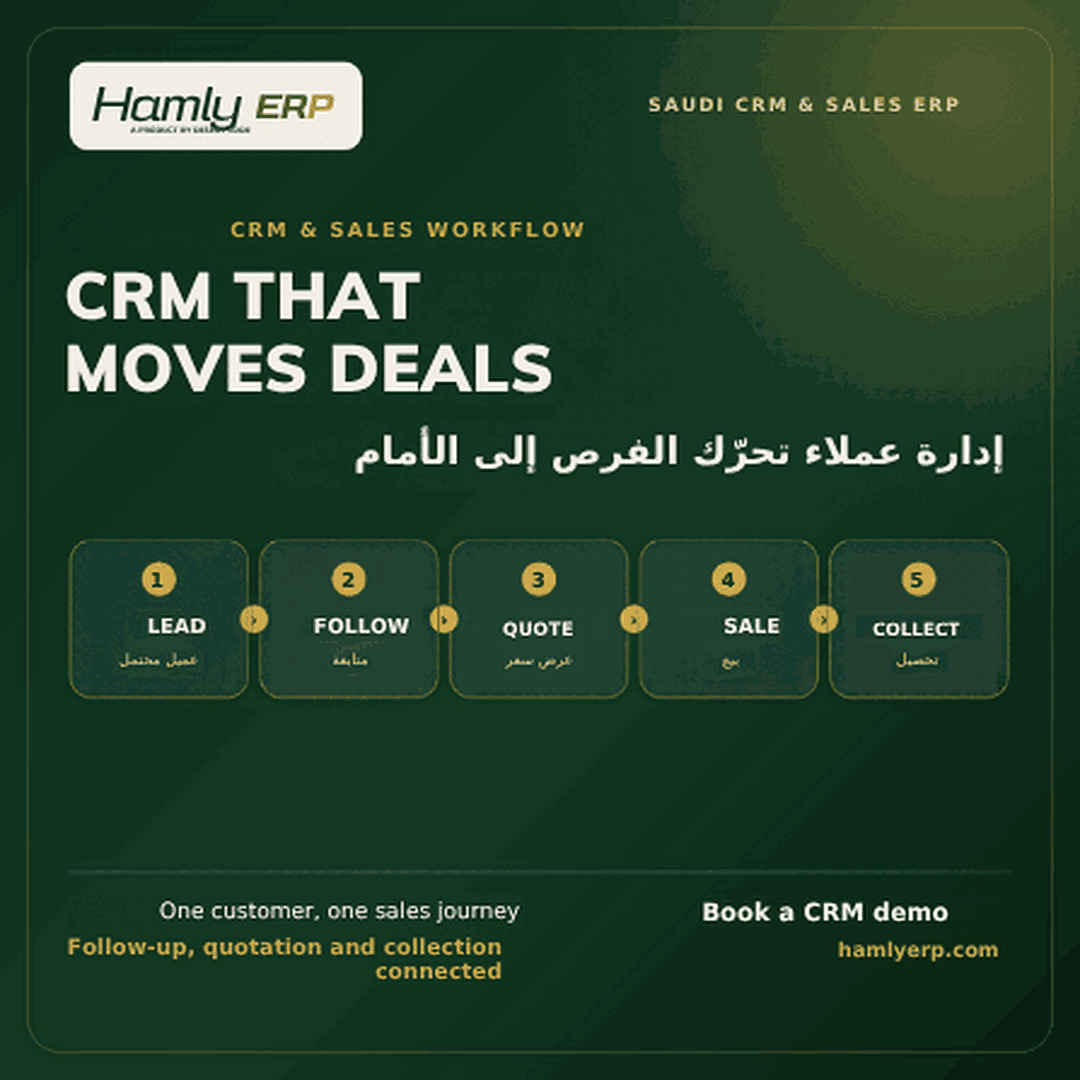
A practical customer relationship management system gives every enquiry a clear journey. It connects the first contact with qualification, activities, opportunities, quotations, approvals, won or lost outcomes, invoicing and collection. This guide explains the workflow a Saudi business should design before selecting or configuring CRM software.
- Leads remain inside individual phones, inboxes or WhatsApp accounts.
- Two salespeople contact the same customer without knowing it.
- Follow-ups have no owner, due date or next action.
- Quotations are prepared with inconsistent prices or terms.
- Management sees pipeline totals but cannot trust the stages.
- Sales marks a deal won while finance is still waiting for correct customer data.
- Overdue invoices are invisible to the account owner.
Capture every lead in one controlled queue
Start by defining every lead source the business uses: website forms, incoming calls, WhatsApp, social campaigns, email, walk-ins, partner referrals, exhibitions and outbound prospecting. Each source should create or update a record with the customer name, mobile number, email, company, city, language, product interest, source, campaign and consent or communication preferences where relevant.
Duplicate control matters. Saudi buyers may contact the same business through several channels. Search by mobile number, email, VAT or company identifier where appropriate before creating another customer. Preserve the source history so marketing can measure which campaign created the first meaningful enquiry rather than awarding credit to the last manual entry.
Assign ownership and a response promise
Every new lead needs an owner and a response deadline. Routing can use territory, language, product, branch, industry or workload. A shared queue may be useful for initial screening, but the lead should not remain unowned once a salesperson begins the conversation.
Use activity types such as call, WhatsApp, email, meeting, demo, site visit and quotation follow-up. Each completed activity should record the outcome and create the next action. Managers should see new leads without first response, overdue activities, leads with no future action and opportunities inactive beyond an agreed number of days.
- Customer and company name in the available language
- Verified phone or email
- Lead source and campaign
- Business need or requested product
- Owner, priority and next action
- Expected timing and approximate value when known
- Qualification result and reason
- Complete communication and activity history
Qualify before building the pipeline
Not every enquiry is a sales opportunity. Agree on simple qualification questions: What problem is the customer trying to solve? Is the requested service within scope? Who is involved in the decision? What is the expected timing? Is a budget or commercial range understood? What is the next agreed step?
Use clear outcomes such as qualified, nurturing, not a fit, duplicate, invalid contact or future opportunity. This keeps the pipeline realistic and gives marketing useful feedback. Do not delete weak leads merely to improve conversion figures; retain the reason and respect applicable privacy, retention and communication rules.
Create a disciplined opportunity pipeline
Pipeline stages should represent customer progress, not salesperson optimism. A practical sequence might include qualified need, discovery completed, solution or demo completed, quotation sent, commercial review, decision pending and won or lost. Define the evidence required to enter each stage.
- Capture: create or match the customer and preserve the original source.
- Qualify: confirm need, fit, timing, decision process and next step.
- Follow: assign activities with owners, due dates and outcomes.
- Quote: prepare an approved offer using controlled items, prices and terms.
- Close: record won or lost status with the real reason and evidence.
- Collect: connect invoicing, payment status and account follow-up.
Connect products, prices and quotations
The CRM should not force salespeople to retype product names, package descriptions, prices, discounts and tax treatment into separate documents. Connect the opportunity to the approved item or service catalogue, price list, quotation template and approval rules. High discounts, unusual payment terms or non-standard scope should route to the responsible approver.
Version quotations instead of overwriting them. Preserve what changed, who approved it and which version the customer accepted. The accepted quotation should become the basis for the sales order, project, subscription or delivery workflow so operations do not begin from a different promise.
Handover a won deal without losing context
A won opportunity is not the end of the process. Confirm the legal customer name, billing and delivery details, VAT information where applicable, purchase order or contract reference, products, quantities, implementation scope, promised dates, payment terms and responsible internal team. Missing data at this stage causes invoice rejection and collection delays later.
Use a standard handover checklist between sales, operations, finance and customer success. Keep the relevant proposal, agreement, approvals and meeting notes attached to the customer or deal. Restrict confidential documents and commercial terms through role-based permissions.
Connect CRM with invoicing and collection
Sales and finance should share the same commercial facts. The accepted order should supply accurate customer, item, price, discount, tax and payment-term data to invoicing. After an invoice is issued, authorised sales users should see whether it is unpaid, partially paid, paid or overdue without accessing unrelated accounting information.
Collection activities need the same discipline as sales follow-up: owner, due date, contact, promise-to-pay date, dispute reason and next step. A salesperson should not offer new credit terms without knowing the customer’s existing exposure and finance policy.
Measure movement, not only pipeline value
| Metric | What it reveals |
|---|---|
| First-response time | Whether new enquiries receive timely attention |
| Overdue activities | Where follow-up discipline is breaking |
| Conversion by source | Which channels produce qualified opportunities and sales |
| Stage ageing | Deals that are inactive or placed in the wrong stage |
| Quotation acceptance | Offer quality, pricing fit and sales effectiveness |
| Lost reasons | Product, price, timing and competitor patterns |
| Invoiced versus collected | Whether booked sales become cash |
Review numbers by salesperson, branch, source, product and industry, but keep definitions consistent. A lead, qualified opportunity, won deal and collected sale must mean the same thing across the company. Otherwise dashboards become attractive but unreliable.
Protect customer data and access
CRM records may contain names, phone numbers, emails, commercial discussions, identity details and contractual documents. Use least-privilege access, secure exports, activity logs, controlled deletion and clear retention rules. Review how marketing lists are created and how communication preferences are recorded. Obtain qualified advice for the company’s obligations under applicable Saudi data-protection and sector requirements.
Test the complete workflow before go-live
Use realistic scenarios: a website lead already exists from WhatsApp; an Arabic-speaking customer requests a demo; a quotation needs discount approval; the customer asks for a revised offer; the deal is lost to a competitor; a won deal needs project handover; an invoice becomes partially paid; and a salesperson changes. Confirm ownership, permissions, notifications, audit history, reporting and mobile use in each case.
A good pilot uses real process roles but anonymised customer data. Run the same journey from enquiry to collection and compare it with the current workflow. Fix unclear stages and responsibilities before importing every old contact.
How Hamly ERP supports the connected journey
Hamly ERP can bring CRM, contacts, sales, quotations, projects, invoicing, accounting and reporting into one modular environment. The right setup depends on your lead sources, sales roles, approval limits, products, payment terms and reporting needs.
Book a focused demonstration using one anonymised lead-to-collection scenario. We will map the customer record, ownership, activities, pipeline, quotation, handover, invoice and collection visibility around your operating process.
- Map lead sources and duplicate rules
- Define assignment and response targets
- Agree qualification questions and outcomes
- Limit pipeline stages and define entry evidence
- Connect catalogues, price lists and quotation approvals
- Design won-deal handover to operations and finance
- Expose payment status without unnecessary financial access
- Configure role permissions, audit trail and retention
- Test English and Arabic customer records where needed
- Train managers to review activities, ageing and lost reasons