
Fixed assets are often visible everywhere in a business but difficult to explain in one reliable record. Laptops move between employees, vehicles move between branches, equipment is repaired without updating the asset history, and furniture remains in the ledger after it has been replaced. Finance may know the book value while operations knows the location, but neither team has the whole picture.
A useful fixed asset management system connects the operational and accounting life of each asset. It should answer what the asset is, why it was purchased, where it is, who is responsible for it, what it cost, how its value is treated, what maintenance it has received, and what happened when it was transferred or disposed. This guide explains how a Saudi business can design that workflow before evaluating software.
- Purchases are posted to a fixed asset account but no individual asset record is created.
- The asset record lacks a serial number, location, custodian or supporting invoice.
- Employees return or exchange equipment without a documented custody change.
- Maintenance costs are recorded, but the related asset and service history cannot be found.
- Depreciation is calculated in a separate spreadsheet and posted as one unexplained total.
- Physical counts produce many missing, duplicate or unidentified items.
- Disposed assets remain active in reports or are removed without approval and evidence.
Start with a clear fixed asset policy
Software cannot decide which purchases are assets. The company needs an approved policy that defines capitalization thresholds, asset classes, useful-life ranges, depreciation methods, residual-value treatment, responsible approvers, count frequency and disposal authority. Apply that policy consistently across branches and departments.
Common asset classes may include property improvements, machinery, vehicles, computers, office equipment, furniture and specialised tools. The exact structure should match the business. A construction company, clinic, retailer and service company do not carry the same risks or reporting needs. Qualified accounting advice should guide classification and valuation decisions.
Connect purchasing to asset creation
The asset lifecycle begins before the item arrives. The purchase request should state the business need, quantity, specification, budget, department, project and expected custodian or location. The purchase order, supplier invoice and receiving record then form the evidence for creating the asset.
Do not create a generic asset called “office equipment” for a purchase containing several trackable items. Decide whether each unit needs its own asset ID or whether a controlled group is appropriate. The purchasing workflow and fixed asset module should be tested together so approved purchases can create accurate records without duplicate data entry.
- Unique asset ID and readable description
- Asset class, make, model and serial or chassis number where applicable
- Supplier, invoice, purchase order and receiving references
- Purchase date, in-service date, cost and relevant additional acquisition costs
- Branch, site, room, project or cost centre
- Custodian, department owner and approval history
- Depreciation policy fields approved by finance
- Warranty, maintenance and insurance details when relevant
- Status such as ordered, received, active, under repair, transferred or disposed
Give every asset an identity
A unique ID prevents two similar items from becoming one vague ledger balance. Labels can use a barcode, QR code, durable printed tag or another identifier suited to the environment. The label should point to the controlled record; it should not expose confidential financial or employee data.
Define a naming and numbering convention that works across the company. Avoid codes that depend on a location or custodian that will change. If an asset is too small, exposed, rented or otherwise unsuitable for a physical tag, document the alternative identification method.
Control custody and location
Custody is more than the name of the employee who received a laptop. The record should show when custody began, the condition at handover, accessories included, expected return process, and the approvals for transfer. For shared equipment, use the responsible department or site manager and keep usage records where needed.
Transfers between employees, departments, branches or projects should preserve history. Do not overwrite the old location as if it never existed. The business needs to know who initiated the move, who approved it, who received the asset and when the transfer became effective. This audit trail helps operations answer questions without relying on messages or memory.
Keep depreciation tied to the individual asset
Depreciation should follow the company’s approved accounting policy and the data recorded for each asset: capitalised cost, in-service date, useful life, method, residual value and any approved adjustment. The system can calculate a schedule, but finance must review configuration, exceptions and period posting.
Post depreciation to the correct asset cost and accumulated-depreciation control accounts, with expense assigned to the relevant branch, department, project or cost centre where the accounting policy requires it. Reconcile the detailed asset register to the general ledger rather than accepting a standalone spreadsheet total.
Record maintenance, warranty and downtime
For vehicles, machinery, devices and specialist equipment, maintenance history can be as important as book value. Record service date, meter or mileage reading when relevant, supplier, fault, action, parts, cost, downtime, next service and warranty outcome. Link the transaction to the asset instead of keeping invoices in a separate folder.
This creates a clearer decision record. Management can identify assets with rising repair cost, repeated failures or long downtime and compare repair, replacement and disposal options. It also helps budget upcoming service and avoid depending on one employee’s reminder.
Run physical verification as a controlled process
A physical count is not only a search for missing items. It tests whether the register represents reality. Freeze or control transfers during the count, define the locations and asset classes in scope, assign independent counters where practical, scan or record the asset ID, note condition and custodian, and route exceptions for investigation.
Common exceptions include an asset in a different location, a missing label, an unidentified item, a damaged asset, an item under repair, and an asset that exists in the register but cannot be located. Every exception needs an owner, evidence, decision and closure date. Do not delete a record merely to make the count match.
Approve transfers, write-offs and disposals
Disposal can include sale, trade-in, scrapping, donation, loss or another approved outcome. The workflow should capture the reason, condition, valuation evidence where required, approval, buyer or recipient, proceeds, removal date and supporting documents. The asset status, custody, maintenance schedule and accounting entries should change together.
Before disposal, confirm that company data has been removed from technology devices, identifiers and access rights are handled, and any legal or contractual requirements are reviewed by the responsible team. Finance should calculate and approve the accounting result using the applicable policy rather than relying on an operational status change alone.
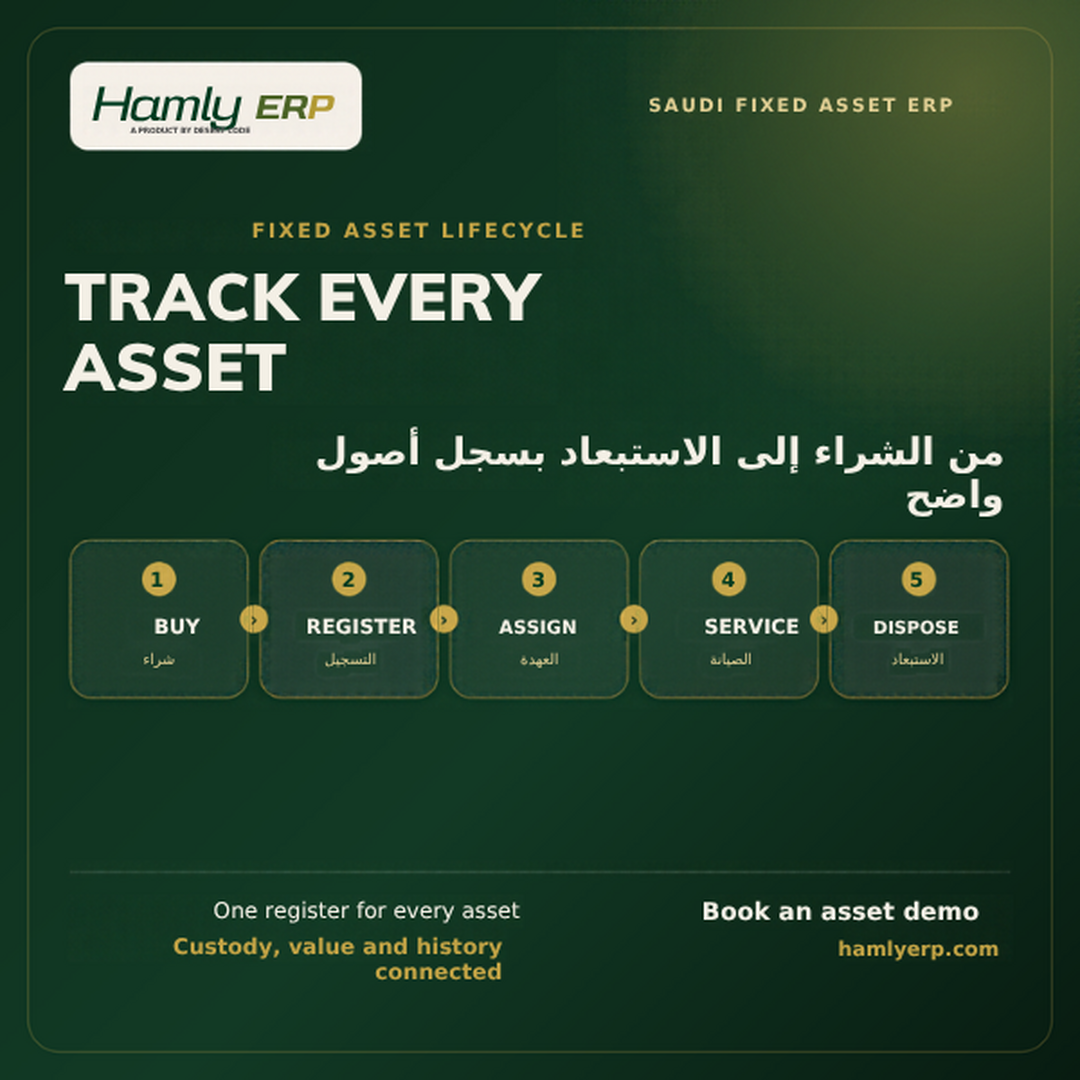
- Request and buy: approve the need, budget, specification and supplier.
- Receive and register: connect evidence, cost, identity and in-service date.
- Assign and use: record custodian, location, condition and responsibility.
- Maintain and review: preserve service history, value and exceptions.
- Verify and reconcile: compare physical assets, the register and the ledger.
- Transfer or dispose: use approval, evidence and a complete audit trail.
Use reports that answer operational and finance questions
A strong asset dashboard should not stop at total cost and depreciation. Review active assets by class, location and custodian; assets without labels or complete documents; warranty expiry; maintenance due; assets under repair; transfers awaiting acceptance; count exceptions; fully depreciated assets still in use; and disposals awaiting accounting closure.
Use reports and analytics to make action visible. Each exception should have an owner. A report that only lists the problem but does not support follow-up becomes another spreadsheet.
Test Hamly ERP with your real asset scenarios
Before implementation, test a complete set of representative transactions: purchase a laptop and assign it to an employee, create several assets from one supplier invoice, transfer equipment to another branch, record maintenance, calculate and post depreciation, count assets, investigate a missing item, and dispose an approved asset. Confirm every step in the operational record, accounting entry and report.
Also test Arabic and English descriptions, permissions, attachment handling, branch visibility, opening-register migration and exports. The right implementation is not the one with the longest feature list; it is the one that gives your teams a controlled and usable asset lifecycle.
Plan a focused Hamly ERP demonstration
Bring a sample asset register, one recent purchase, one custody form, one maintenance case, one transfer and one disposal scenario. Hamly ERP can then be demonstrated against the workflow your business actually needs, including purchasing, fixed assets, accounting and reporting connections.
- Your main asset classes and approximate number of active assets
- Branches, sites, departments and custody model
- Current spreadsheet or register fields
- Depreciation and approval rules approved by your finance team
- Labelling, maintenance, verification and disposal requirements
- The three asset questions management cannot answer quickly today
Book a Hamly ERP asset management demo
Frequently asked questions
What is fixed asset management software?
It is a controlled system for each asset’s identity, evidence, location, custodian, value, maintenance, transfers, verification and disposal history.
Which purchases should become fixed assets?
Use the company’s approved capitalization policy. Finance and operations should consistently distinguish fixed assets from expenses, inventory and prepaid items.
Can an ERP calculate depreciation automatically?
Yes, when policy fields and dates are configured correctly, but qualified finance staff should approve the policy, review exceptions and reconcile postings.
How often should assets be counted?
Use a documented risk-based schedule. High-value, mobile or sensitive assets may need more frequent verification, while the full population should be covered periodically.
What should we test before implementation?
Test purchase-to-register, custody, transfer, depreciation, maintenance, physical verification, disposal, permissions and reconciliation to accounting with real examples.