
A VAT return should not be the first time a finance team tries to explain the period's sales, purchases and adjustments. When invoices, credit notes, supplier documents and ledger balances are reviewed only at filing time, missing records and classification differences become harder to resolve.
A better approach is to build a repeatable reconciliation from operational transactions to accounting records and then to the figures prepared for the return. ZATCA's VAT return service requires taxable persons to disclose relevant taxable sales and purchases. This guide explains the records and control steps a Saudi business can organise before a qualified person reviews the tax treatment and submits the return.
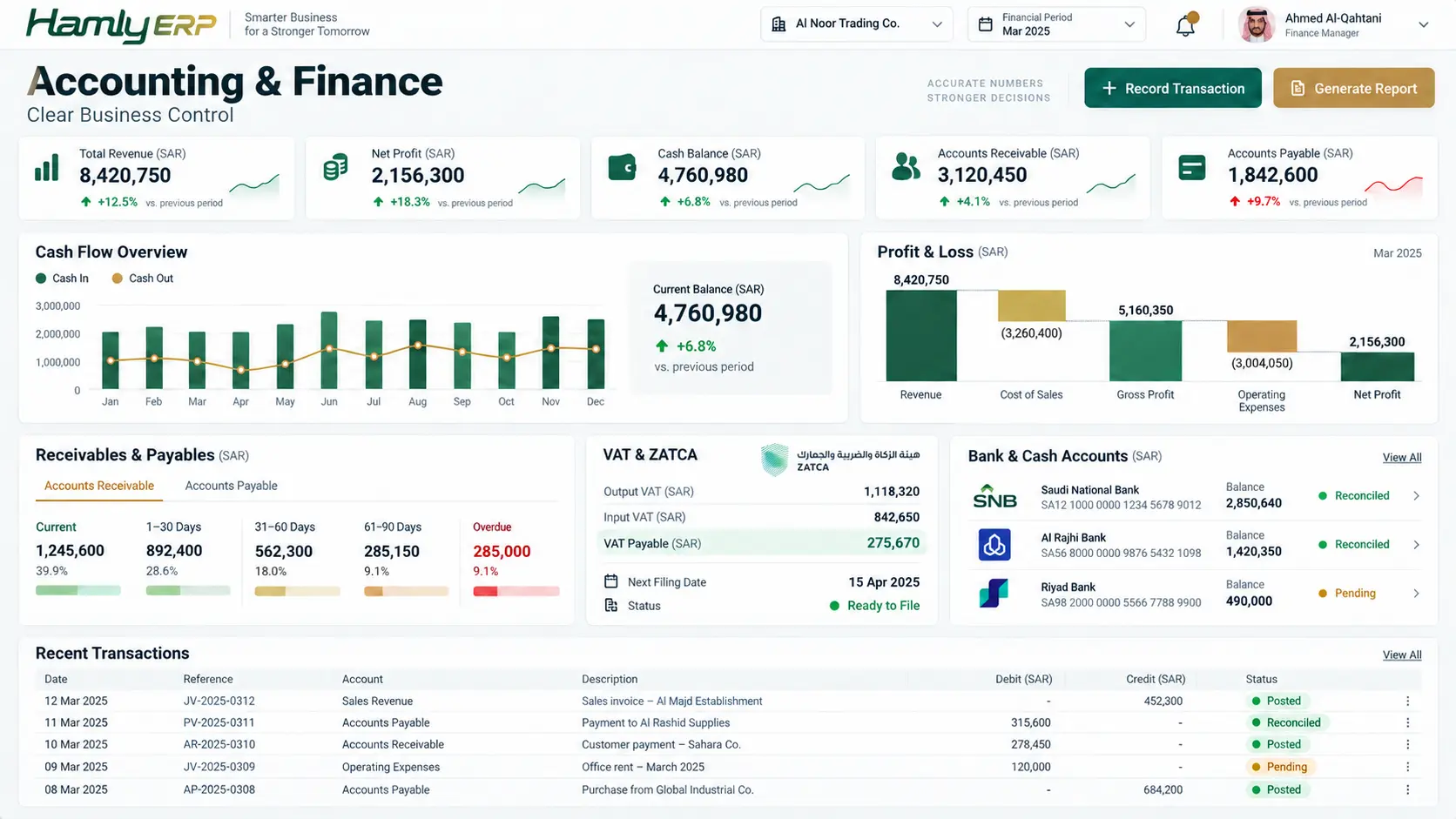
1. Confirm the filing period before extracting data
Start with the exact tax period and due date displayed in the company's ZATCA account. ZATCA's published guidance distinguishes monthly filing for establishments above the stated annual-revenue threshold and quarterly filing for those within it; a filing-period change uses a separate service and requires ZATCA approval. Do not assume that another company, a previous year or a spreadsheet label uses the same period.
Document the period start and end dates, the VAT registration number, the entities or branches included, the responsible preparer and reviewer, and the date on which transaction data will be frozen for reconciliation. If late transactions are entered after the first extraction, record a new version and explain the difference.
2. Reconcile the sales register to issued invoices
Build a sales register from the system rather than copying only a general-ledger total. Each row should preserve the invoice date, invoice number, customer, taxable amount, VAT amount, transaction type, branch and status. Separate standard-rated, zero-rated, exempt and out-of-scope classifications only after the business's tax treatment has been confirmed.
- Confirm the invoice sequence and investigate unexplained gaps or duplicates.
- Match invoice totals to the sales and receivables records.
- Identify cancelled, rejected or test documents and preserve their audit history.
- Review manual journals posted directly to sales or VAT control accounts.
- Confirm that branch, customer and tax classifications are complete.
- Compare e-invoice status and accounting status where those records are maintained separately.
The goal is not to force every difference to zero. The goal is to identify every reconciling item, assign an owner and retain evidence showing why the final amount is appropriate.
3. Link credit and debit notes to the original invoice
Returns, discounts, price corrections and other post-invoice changes should not be recorded as unexplained negative sales. The Saudi VAT Implementing Regulations address credit and debit notes and require the note to reference the related original invoice. Operationally, that link helps finance verify the customer balance, revenue adjustment, stock movement and VAT effect as one event.
Review the note date, reason, original invoice reference, taxable amount, VAT amount and approval. Where a note is issued in a later period, do not move it into an earlier return merely to make reports match; ask the tax adviser how the timing should be handled and document the conclusion.
4. Validate purchases and supporting documents
A supplier payment or expense entry is not by itself sufficient evidence for input VAT. Build a purchase register that links the supplier document to the supplier record, expense or asset category, receipt or service evidence, accounting entry and payment where relevant. Check that the invoice belongs to the registered business and the correct period, and that duplicate documents have not been entered through both purchasing and expenses.
Input-tax eligibility can vary by transaction and use. Flag uncertain items—such as mixed business and personal use, employee expenses, assets, imports, entertainment or documents with missing information—for professional review rather than applying a general rule inside the ERP.
- Supplier legal name and VAT number captured where required.
- Invoice number and date entered exactly once.
- Taxable amount and VAT separated from the gross total.
- Expense, inventory or asset classification supported by the transaction.
- Credit notes linked to the original supplier invoice.
- Imports and reverse-charge items identified for separate review where applicable.
- Electronic or physical evidence retained and retrievable.
5. Reconcile the VAT control accounts
Compare the sales and purchase registers with the VAT output and input accounts in the general ledger. Then review opening balances, current-period postings, payments, refunds, prior-period adjustments and the closing balance. Direct journals to VAT accounts require particular attention because they may bypass normal invoice controls.
Useful working papers show three layers: the transaction-register total, the general-ledger balance and the return figure. Any difference should have a short explanation, source document, preparer and reviewer sign-off. Reconciliation also helps distinguish a genuine tax issue from a timing, mapping or duplicate-entry problem.
6. Assemble a reviewable evidence pack
ZATCA guidance states that VAT records include tax invoices issued and received, accounting records, relevant contracts, bank statements, import or export documents and other material used to calculate VAT. Its published guidance describes a standard minimum retention period of six years, with longer periods for certain capital-asset records. Confirm the period applicable to each record category.
Store the return working paper, sales and purchase registers, adjustment schedule, VAT-account reconciliation, key invoices, credit and debit notes, import documents, professional advice and submission confirmation together. Use controlled filenames and prevent silent replacement of an approved version.
A seven-step VAT close workflow
- Lock the period: confirm dates, registration details and the data cut-off.
- Extract source registers: sales, purchases, expenses, credit notes and relevant journals.
- Clean exceptions: investigate duplicates, missing references, incomplete tax fields and late entries.
- Reconcile ledgers: match transaction registers to revenue, purchases, receivables, payables and VAT control accounts.
- Prepare adjustments: document each difference without changing periods or tax treatment without approval.
- Review evidence: ensure supporting documents can be retrieved and the reviewer can trace each figure.
- Approve and archive: submit through the authorised process, save the acknowledgement and preserve the final pack.
How ERP can support the process
An ERP can help maintain connected customer, supplier, invoice, expense, accounting and reporting records. It cannot decide every tax treatment, repair missing evidence or replace professional review. During a Hamly ERP demonstration, test representative sales, purchases, expenses, returns, credit notes and VAT reports against the business's real workflow.
Review the accounting, sales, purchasing and reporting modules together. Confirm report fields, permissions, approval history, document attachment, export formats and any filing or integration scope in writing before relying on them.
For invoice-system preparation, also read the ZATCA Phase 2 readiness guide. For multi-branch sales controls, see the guide to connecting POS and inventory across Saudi branches.
Review your VAT-record workflow with Hamly ERP
Bring a sample sales register, supplier invoice, expense record, credit note, VAT control-account report and return working paper. The Hamly team can demonstrate how the relevant operational and accounting records can be organised. Feature availability, configuration, integrations and professional tax responsibilities must be confirmed in the written scope.
Book a VAT-record workflow demonstration →
Frequently asked questions
What should be reconciled before preparing a Saudi VAT return?
Reconcile sales and purchase records, tax invoices, credit and debit notes, relevant imports, VAT control accounts and supporting documents for the period. Confirm transaction treatment with a qualified adviser.
How often are Saudi VAT returns filed?
ZATCA's published guidance distinguishes monthly and quarterly filing. Confirm the active period and due date shown in the company's own ZATCA account.
Why link a credit note to the original invoice?
The regulations require the related invoice reference, and the link helps trace the customer balance, commercial adjustment and VAT effect.
How long should VAT records be retained?
ZATCA guidance states a standard minimum of six years, with longer periods for certain capital-asset records. Confirm the rule applicable to each category.
Can ERP submit a VAT return automatically?
Not necessarily. ERP can organise records and reports, but filing scope, configuration, integrations and professional review must be confirmed. The taxable person remains responsible for the submitted return.